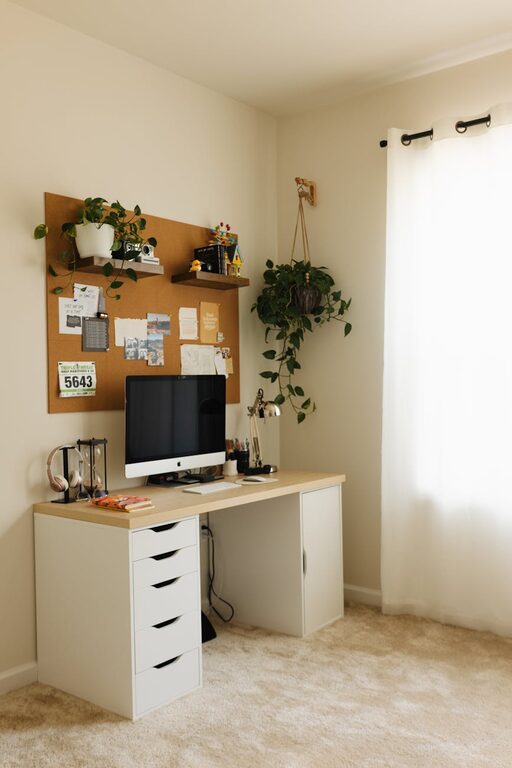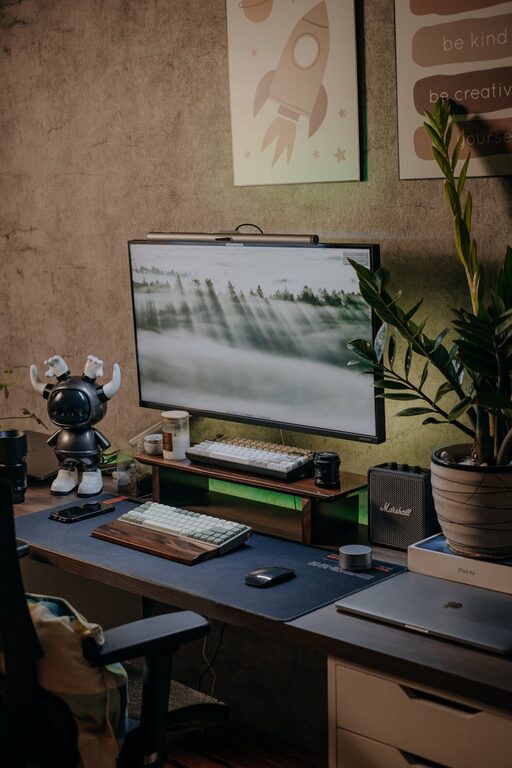
Creating a cozy and productive home workspace is essential for anyone who spends time working remotely or studying from home. A well-designed space enhances focus, reduces distractions, and can even improve your mood throughout the day. Whether you have a dedicated room or just a corner to set up, these tips will help you build an environment that’s both inviting and efficient.
Choose the Right Location
Start by selecting a spot in your home that supports your work style and needs. Ideally, this should be a quiet area with minimal foot traffic to avoid interruptions.
– Natural Light: Positions near windows give you natural light, which can boost energy and reduce eye strain.
– Away from Noise: Try to find a space away from noisy appliances or common areas like the kitchen or living room.
– Privacy: If possible, choose a spot that offers privacy for conference calls or focused work.
Invest in Comfortable Furniture
Since you’ll be spending many hours here, comfort is key.
– Ergonomic Chair: Look for a chair with adjustable height and lumbar support to maintain good posture.
– Desk: Choose a desk that fits your space and allows you to keep necessary items within reach. Adjustable desks or standing desks can offer flexibility.
– Footrest: Consider using a footrest to decrease strain and increase comfort during long sitting periods.
Organize Your Workspace
Clutter can be distracting and reduce productivity. Keeping your workspace organized will help you stay focused.
– Use Storage Solutions: Shelves, drawers, and desk organizers keep documents, supplies, and gadgets tidy.
– Cable Management: Use clips or holders to keep cords organized and off your desk surface.
– Minimalist Setup: Keep only the essentials on your desk to reduce visual distractions.
Personalize Your Space
Adding personal touches can make your workspace feel more inviting and inspiring.
– Decor: Include plants, artwork, or inspirational quotes that make you happy without overwhelming the space.
– Color Scheme: Choose calming colors like soft blues, greens, or neutrals to create a relaxing atmosphere.
– Lighting: Besides natural light, use a desk lamp with adjustable brightness to reduce eye strain during late hours.
Optimize for Productivity
Small adjustments can make a big difference in how effectively you work.
– Establish Zones: If your workspace is shared with other activities, create clear boundaries to mentally separate work from leisure.
– Noise Control: Use noise-cancelling headphones or soft background music to block distractions.
– Task Management Tools: Keep planners, to-do lists, or digital tools nearby to track tasks and deadlines.
Take Breaks and Move
A cozy workspace encourages you to stay comfortable, but it’s important to keep moving.
– Stretch Regularly: Stand up and stretch every hour to avoid stiffness.
– Adjust Your Setup: If feasible, alternate between sitting and standing during the day.
– Hydrate and Snack: Keep water and healthy snacks at your desk to maintain energy levels.
Maintain Cleanliness
Regular cleaning helps keep your workspace fresh and inviting.
– Daily Tidy-Up: Spend a few minutes at the end of each day to clear your desk.
– Deep Clean Weekly: Dust surfaces, wipe down electronics, and vacuum the area.
– Air Flow: Open a window or use a fan to circulate fresh air when possible.
Final Thoughts
Creating a home workspace that feels both cozy and productive takes some planning but is definitely worth the effort. By choosing the right location, investing in comfort, organizing tools and supplies, personalizing the space, optimizing for focus, and maintaining cleanliness, you’ll set yourself up for successful and enjoyable workdays at home.
Remember that your workspace should reflect your preferences and needs, so feel free to adjust these tips until it feels just right. A comfortable and efficient environment is an important step toward balancing work and home life seamlessly.