
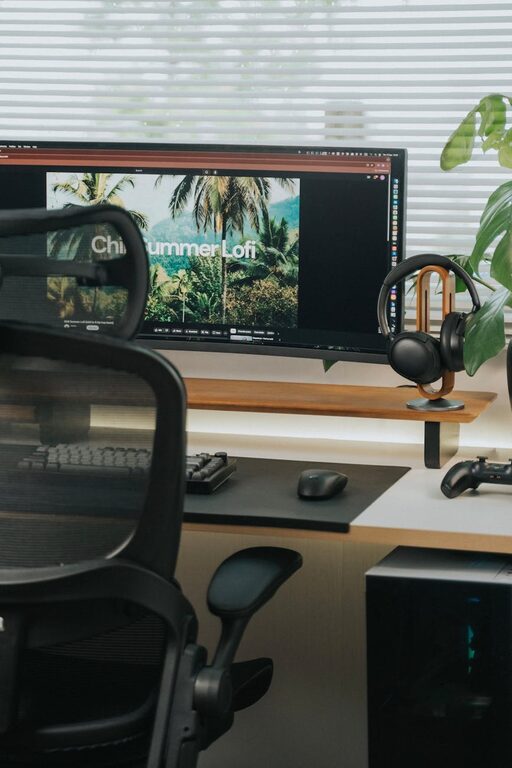
Creating a productive home office environment is key to staying focused and efficient while working remotely. Whether you’re new to working from home or looking to improve your current setup, a few thoughtful adjustments can make a big difference. This post will guide you through practical tips to design a workspace that supports productivity and well-being.
Choose the Right Space
Pick a Dedicated Area
Selecting a specific spot in your home to serve as your office helps to separate work from leisure. Ideally, choose a quiet area with minimal distractions. This could be a spare room, a corner in your living room, or even a section of your bedroom. The goal is to establish a consistent place where your brain can associate the environment with work.
Consider Natural Light
Natural light can boost mood and energy. Try to position your desk near a window if possible. If natural light is limited, investing in good quality artificial lighting is essential to reduce eye strain and maintain focus.
Invest in Comfortable Furniture
Ergonomic Chair and Desk
Your chair should support your back and promote good posture to prevent discomfort and fatigue. An adjustable chair with lumbar support is ideal. Pair it with a desk at the proper height to ensure your arms rest comfortably while typing or writing.
Organize for Efficiency
Keep frequently used items within arm’s reach to minimize interruptions. Use shelves, drawers, or desk organizers to declutter your workspace. A tidy desk contributes to a clear mind.
Minimize Distractions
Manage Noise
If background noise is an issue, consider noise-canceling headphones or a white noise machine. Playing instrumental music or nature sounds can also help maintain concentration.
Set Boundaries
Communicate your working hours to family or housemates to reduce interruptions. Some people find it helpful to use a “do not disturb” sign or close the door during focused work periods.
Create a Productive Routine
Designate Work Hours
Even though you’re at home, try to start and end your workday at consistent times. This routine helps maintain work-life balance and trains your mind to be productive during those hours.
Take Regular Breaks
Short breaks every hour or so can prevent burnout and keep your energy up. Use this time to stretch, hydrate, or take a brief walk to refresh your mind.
Personalize Your Space
Add Inspiring Elements
Incorporate items that motivate you, such as plants, artwork, or photos. Plants can improve air quality and add a calming touch.
Keep It Comfortable
Adjust temperature and ventilation to your liking. Having a small fan or heater within reach can help you stay comfortable during different seasons.
Use Technology Wisely
Reliable Internet and Equipment
Ensure your internet connection is stable and fast enough for your work needs. Invest in quality peripherals like a keyboard, mouse, and monitor if they improve your comfort and productivity.
Organize Digital Files
Keep your computer desktop and folders well organized. Use productivity apps or digital calendars to keep track of tasks and deadlines.
Maintain Healthy Habits
Stay Hydrated and Eat Well
Keep water nearby and avoid heavy meals that might cause sluggishness. Healthy snacks can maintain your focus during long work sessions.
Move Regularly
Incorporate movement into your day, such as stretching or short walks. This helps reduce physical tension and boosts mental clarity.
—
By applying these tips, your home office can become a productive, comfortable space that supports your professional growth while enhancing your overall well-being. Remember, the ideal setup varies for each individual, so take time to experiment and find what works best for you.